
How to verify the email address in this new WEB BASED login system
-
How to verify the email address in this new WEB BASED login system
I've been playing using WEB search engine since 2014, not an app, and i wanna continue playing like that, so what should I do to verify my email address and to receive that ONE TIME CODE for login?
First software pop-up asked me is this is still my email, and after i click on YES, this orange banner showed up, with writing - To make sure my email is verified and up to date?

When I try to re-enter my email, which Im using for all that time, the error pops up.
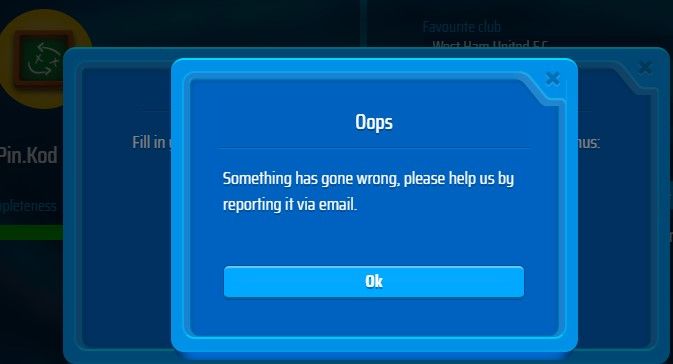
But i can normally save my profile

I'm playing on OS WIN11 via my lapTop
I read this info today in the forum..
We kindly ask you to add a social connection or ensure your email login is set up as soon as possible, so you can continue accessing your account without issues in the future.Password-based login will be disabled again at a later date. We will inform you about this well in advance.
After disabling Password-based login again, the new ways to log in to OSM will be:Using a social connection (such as Google, Apple, or Facebook), or
Logging in with your email address and a one-time login codeThanks
-
My profile is set 100%, and its been like this all the time.. Im receiving emails from OSM on this email

Hi there,
If you already have an e-mailadress added to your OSM account and that you still use, then you do not have to do anything. These messages that appear are there to inform users that the login method of using username and password is soon going to be removed and need to make sure that they have set up other methods to keep login into their account.
-
Hi there,
If you already have an e-mailadress added to your OSM account and that you still use, then you do not have to do anything. These messages that appear are there to inform users that the login method of using username and password is soon going to be removed and need to make sure that they have set up other methods to keep login into their account.
@FC-Eddie_NL this notification should be disabled for the verified users. When I open browser it keeps asking for e-mail verification and it is annoying always to clicking "yes".
-
Hi there,
If you already have an e-mailadress added to your OSM account and that you still use, then you do not have to do anything. These messages that appear are there to inform users that the login method of using username and password is soon going to be removed and need to make sure that they have set up other methods to keep login into their account.
@FC-Eddie_NL So since I already have an e-mail address added to my OSM account and Im still using it , I will just receive that OSM login code once OSM disable Password-based login option?
There are good managers, great managers, and then there are THE ARTISTS
-
-
- The art of football * * *
-
-
-
@FC-Eddie_NL So since I already have an e-mail address added to my OSM account and Im still using it , I will just receive that OSM login code once OSM disable Password-based login option?
@pin.kod This is correct.
This is an alert/reminder to doublecheck if the e-mail set on your account is still valid.
If valid, ignore it. We know it's annoying, but better to have it than later find out you're no longer able to log on your account.This alert will stay there for about a month, to give time to those that are on holidays or took a small break to be able to check it. After that period, e-mail login will be in place:
- login with mail set on the account
- a code is sent to the account
- paste/write code on OSM and you're in
NOTE: While on same device, you'll remain logged, which means that you won't be needing it ALL the time. Different devices, you'll need it as expected!
"Success is not final, failure is not fatal: it is the courage to continue that counts." --Winston Churchill
-
@pin.kod This is correct.
This is an alert/reminder to doublecheck if the e-mail set on your account is still valid.
If valid, ignore it. We know it's annoying, but better to have it than later find out you're no longer able to log on your account.This alert will stay there for about a month, to give time to those that are on holidays or took a small break to be able to check it. After that period, e-mail login will be in place:
- login with mail set on the account
- a code is sent to the account
- paste/write code on OSM and you're in
NOTE: While on same device, you'll remain logged, which means that you won't be needing it ALL the time. Different devices, you'll need it as expected!
@SpecialOne Thanks for the explanation, I appreciate it and I understand it now
And I think, maybe this topic or this ticket should be open for a few days so that other managers who have similar doubts could read it.
Or if someone else ask you, in the future, about the same topic and issue, you can just refer to this one.
Cheers


